


AI coding agents have become highly capable at working inside a repository. Given a codebase and a clear objective, they can usually locate the relevant modules, implement a change, and explain the result. Their effectiveness drops when the work depends on product state they can’t inspect.
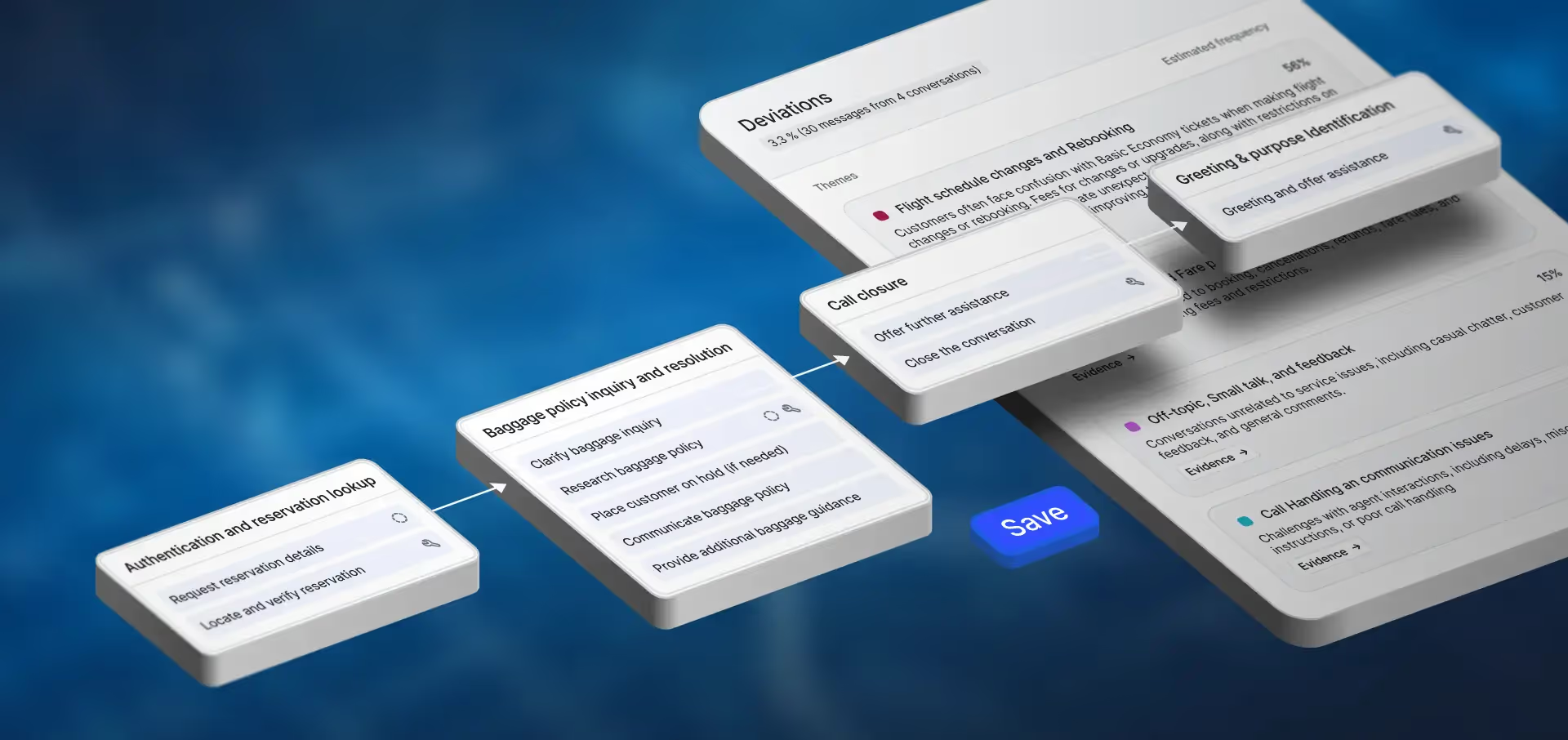
Consider an operations leader responsible for multiple AI agents and teams of human agents. On any given week, the questions landing on their desk look like these. What is driving the escalation spike on the support team? Why did an AI agent skip an authentication step, and how many conversations did it affect? Is a policy change landing differently across the human and AI agent cohorts? The evidence that backs up the answers spans conversations, workflow activity, feedback, deployed revisions, and evaluation history. Bringing that to a coding agent has traditionally meant copying fragments out the Cresta UI by hand.
The Cresta command-line interface (CLI) gives developers and coding agents a direct route to that context. It exposes scoped platform operations through an interface that works from a terminal, coding environment, script, or CI/CD pipeline, allowing them to gather evidence and perform authorized work without clicking through a browser.
Solving that problem required more than exposing a set of commands. We had to make conversations, knowledge, workflows, quality signals, AI agent state, production evidence, evaluations, and operational controls available through stable, scoped platform contracts. The Cresta CLI is the developer-facing surface built on that foundation.
Designing that surface meant designing for a new user. A coding agent learns an interface while using it, working from whatever the tool exposes and whatever evidence fits in their context window. Three principles follow from that:
An interface coding agents can navigate. The CLI teaches the next move through a clear command hierarchy, relevant documentation, machine-readable descriptions, and result hints. Errors explain what failed and what to try next, so an agent can recover without undocumented product knowledge.
Context shaped for the task. Useful output has to stay focused. Stable, context-optimized schemas preserve the evidence and resource identifiers an agent needs for its next step, while large artifacts such as traces, transcripts, and exports come back as files instead of consuming its working context.
One contract across working environments. An agent-friendly interface also has to enforce boundaries. Authentication, resource identity, access controls, and safeguards remain consistent whether an operation is invoked by a person, a coding agent, a script, or an automated pipeline. Consequential actions preserve the appropriate permission checks and confirmation paths.
Making the Platform Operable by Agents
Operating an enterprise CX platform means understanding customer conversations, managing quality across human and AI teams, maintaining knowledge and workflows, investigating production behavior, evaluating AI agents, and carrying operational changes forward. The relevant state has to stay coherent as this work moves among the Cresta UI, developer tools, automation, and the people responsible for the outcome.
Beneath the CLI sits an API-first platform built around durable resources: conversations, knowledge, feedback, workflows, agents, revisions, test suites, and operational configurations. Their identities and relationships remain consistent across surfaces, while customer, profile, use-case, and role scope travels with every operation.
The external contract is deliberately narrower than the platform behind it. It exposes the operations that builders and coding agents need for conversation and platform exploration, knowledge and workflow management, AI agent lifecycle, evaluation, observability, and controlled operational work. Organizing the surface around these workflows keeps the contract small enough to remain stable and broad enough to support meaningful work.
Platform evidence follows the same resource model. Conversations, feedback, quality signals, traces, test cases, and scored runs remain connected to the teams, workflows, configurations, and revisions that produced them. This continuity lets a team carry a recurring customer issue into a quality review, connect feedback to a knowledge or workflow update, or turn an AI agent failure into a regression case with evidence attached throughout the release process.
Three Examples of What the CLI Enables
The CLI supports work across engineering and operations. Three examples illustrate the range: investigating platform behavior, carrying evidence into other systems, and validating an approved change on its way to production. Teams can use them independently or combine them into a broader workflow.
Bring Platform Context Into the Workflow
Builders and coding agents can examine conversations, feedback, agent configuration, knowledge, topics, workflows, and evaluation history through one interface, bringing platform evidence directly into a coding or operational workflow.
For example, a team investigating a rise in escalations can retrieve the relevant conversations, examine the associated workflow and quality signals, and compare the evidence across the affected team or period. Stable identifiers keep the supporting conversations, feedback, and operational context connected as the investigation becomes more specific.
These capabilities extend beyond agent development. Technical and operational teams can examine workflow patterns, review feedback, investigate recurring customer issues, or retrieve platform context for scripts and reports. Structured results, filters, and next-step hints help builders move from a broad question to the relevant evidence without reconstructing the path through the product.
Put Platform Data to Work
Structured CLI results can move directly into the tools a team already uses. A developer can inspect them with a coding agent, load them into a notebook, attach them to a ticket, or process them with an ordinary shell script. Compact results remain in the working context, while larger datasets can be delivered as files for downstream analysis.
Because the CLI composes with ordinary scripts and pipelines, teams can route platform evidence into systems of action: tool-failure alerts in Datadog, weekly review digests in Slack, evidence-backed defects in Jira, regression gates in GitHub Actions, incident handoffs in PagerDuty, compliance reviews in ServiceNow, or trace correlations in Splunk.
Predictable schemas, resource identifiers, and scoping rules allow each workflow to retain a clear path back to the underlying conversation, revision, evaluation, or feedback item. Any environment that can run a command and consume structured output can build on the same foundation.
Carry AI Agent Changes through CI/CD
The CLI is not limited to interactive terminal use. The same scoped operations a developer or coding agent uses to validate and test an AI agent can run unattended in CI/CD, with structured results and exit codes that a pipeline can act on.
For an authentication change, a coding agent can update the configuration or custom code and run a focused test locally. When the change enters review, the pipeline can validate the intended revision, run the broader regression suite, and attach the results to the release. A failed test can stop the pipeline, while a successful run gives reviewers evidence tied to the exact revision under consideration.
Teams decide how far that automation proceeds. Validation and testing may run on every change, while uploading, promoting, or deploying a revision can remain scoped to the target environment and protected by permissions and approval gates.
Built for Teams That Want to Own the Work
By exposing platform context and operations through a developer surface, teams can work from their own repositories, coding agents, scripts, and release pipelines while retaining Cresta’s resource model, access boundaries, and operational controls.
This foundation also powers Cresta Conductor, our purpose-built agent for AI agent development. The CLI provides its connection to platform context and operations, while Conductor adds a guided workflow for designing, building, testing, and improving agents.
Cresta is building the operating layer for enterprise human and AI workforces. That layer must give people and agents a shared, dependable way to understand platform state, take authorized action, and evaluate the result. The CLI is one expression of that work, a supported path from the tools developers already use to the platform context their work depends on.
AI agents will keep getting better at writing code. The Cresta CLI is how they get good at everything around it.
Read more about the Cresta CLI in our developer docs.