
Customer Experience Automation: A Complete Guide for 2026
.avif)

• Contact volume keeps growing faster than headcount budgets. The guide covers how automation across three pillars, AI agents, agent assist, and conversation intelligence, gives contact centers a practical path to handling more while spending less.
• Deploying an AI agent is no longer the hard part. Monitoring, optimizing, and scaling it without degrading customer experience is where most implementations break down, and that distinction shapes everything in the guide.
• The biggest impact comes from layering automation types together rather than picking one. Organizations that combine AI agents for volume, real-time guidance for complex interactions, and full-coverage analytics see compounding returns that point solutions can't match.
• Most business cases focus on efficiency gains, but the bigger opportunity is in the conversations already happening. Real-time guidance that identifies upsell and cross-sell moments during live interactions grows revenue without requiring additional contacts or headcount.
• Treating deployment as a finish line is the most common mistake. The organizations that see lasting results are the ones that continuously monitor, tune, and expand automation the same way they develop their best human agents.
Contact volume grows faster than headcount budgets. That tension defines the operating reality for most contact center leaders today. According to the 2023-24 ContactBabel US Customer Experience Decision-Makers' Guide, 77% of organizations now rank customer retention as a first or second priority for CX programs. The mandate is to drive deeper efficiency while simultaneously improving experience, and automation is the primary mechanism for doing both.
This guide covers which types of automation contact centers actually use, where automation delivers the most impact, how to avoid common implementation mistakes, and how platforms like Cresta approach the problem.
Why customer experience automation matters now
Generative AI crossed the enterprise-ready threshold recently. The systems available today can handle real customer conversations at scale, reasoning and adapting in real time rather than trapping customers in scripted loops. Implementation remains complex because legacy system integration and organizational change management take longer than configuring the software, but the underlying AI is no longer the bottleneck.
While AI capabilities have improved rapidly, most contact centers still struggle with a different problem: ensuring AI performs reliably in production. Deploying an AI agent is no longer the hard part. Monitoring, optimizing, and scaling it without degrading customer experience is where most implementations break down.
The business case has solidified. The business case has solidified across all three pillars of CX automation. AI agents can now handle end-to-end resolution for high-volume repetitive inquiries that previously required a human. Agent assist gives human agents real-time guidance during the complex conversations AI escalates to them.
Conversation intelligence analyzes what actually happens in those interactions and connects specific behaviors to business outcomes. Contact centers that begin structured assessments and pilots now position themselves for full deployment as the technology becomes table-stakes, while organizations still building business cases will face compressed timeframes.
Start with these low-risk use cases
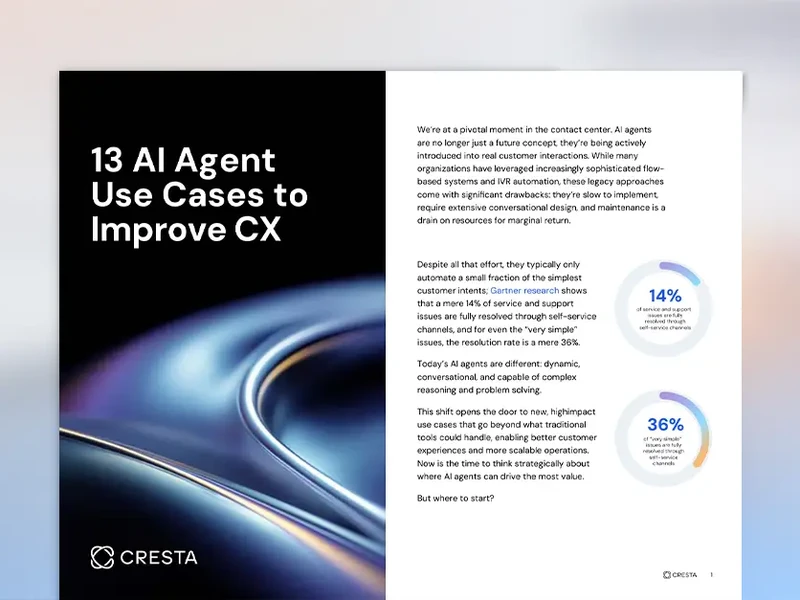
What types of automation do contact centers actually use?
Contact centers deploy several distinct automation approaches, and most organizations need a combination rather than a single one.
Conversational AI, AI agents, and guided self-service
High-volume repetitive inquiries like password resets, order status checks, and balance requests consume agent time that could go toward complex issues. Conversational AI handles these across voice, chat, and SMS channels. Modern AI agents go well beyond scripted decision trees, reasoning and adapting in real time to handle multi-intent conversations.
The CCW Digital Market Study found that 89% of contact center leaders rate AI-driven self-service as important or critically important over the next two years. The challenge is building AI agents that perform at enterprise scale rather than just impressing in demos. That requires robust guardrails, tight integration with human agents when automation reaches its limits, and real-time oversight tools that monitor AI behavior the same way you would monitor a new human agent. In practice, success depends less on whether an AI agent can respond, and more on whether it can be controlled, measured, and continuously improved.
Self-service through web portals, mobile apps, and knowledge bases lets customers resolve straightforward issues independently, but building self-service that actually works is harder than it looks. According to the ContactBabel study, 74% of customers prefer speaking with a human agent even when outcomes and time would be identical with automation, and that preference rises to 85% among older demographics. Effective automation helps customers use self-service for simple queries while ensuring smooth handoffs to human agents for the interactions where customers want a person.
Agent assist and workflow automation
Complex interactions still require human judgment and empathy. Agent assist tools give human agents real-time guidance, knowledge surfacing, and workflow automation during live conversations instead of forcing them to search knowledge bases or wait for supervisor help.
The Cresta State of the Agent Report 2024 found that 65% of agents actively want real-time AI hints during interactions, and 79% say good software makes or breaks their performance. Agents view these tools as career enhancers, not threats.
Robotic process automation (RPA) for back-office tasks
Screen-popping, data entry across multiple systems, and routine form completion consume significant agent time every day. RPA tackles these tasks by mimicking user actions rather than requiring system-level API development. It provides quick wins in existing workflows, though it works best as a complement to more intelligent automation.
Unified AI platforms and orchestration
Enterprise contact centers typically run telephony, customer relationship management (CRM), knowledge bases, and workforce management tools that don't communicate effectively, creating data silos and fragmented customer experiences. AI-native orchestration platforms coordinate specialized AI agents and systems through unified data layers, supporting real-time decisioning across channels.
Modern platforms unify these systems and coordinate AI agents, human agents, and workflows in real time. Instead of treating automation as a standalone layer, they enable continuous context sharing, seamless handoffs, and centralized visibility across the entire customer journey. This becomes especially important as organizations scale AI agents, where maintaining consistency and control across channels is critical.
Choosing the right automation mix for your contact center
Most contact centers don't pick one approach and stop. The best results come from layering these types together, starting with AI agents, guided self-service, or agent assist for fast wins and expanding into orchestration over time.
The business case for customer experience automation
Contact center leaders building a case for automation typically need to address what happens to headcount, where the revenue upside comes from, and why agent experience belongs in the conversation.
Does automation actually reduce headcount?
It usually doesn't, at least not through layoffs. Most organizations achieve efficiency gains through natural attrition they choose not to replace. The CCW Digital Market Study found that only about 7% of leaders expect significant headcount reduction from AI. Frame business cases around volume handling capacity rather than headcount targets that rarely materialize.
Revenue and retention impact
Most business cases focus on efficiency gains, but the bigger opportunity is in the conversations already happening. The Cresta State of the Agent Report 2024 found that 82% of AI-equipped agents report comfort with upselling and cross-selling, compared to agents without AI tools who often lack the confidence to shift from service to sales. Real-time guidance that identifies cross-sell opportunities during live conversations grows revenue without requiring additional contacts or headcount.
Agent experience drives customer experience
Contact center turnover is a persistent challenge, and most of that churn traces back to the same thing: agents stuck doing repetitive work with bad tools, getting coached off a single randomly sampled call, and burning out. Automation that takes the drudgery off their plate while giving them real-time support changes that equation. The Cresta State of the Agent Report 2024 found that 91% of agents with personalized AI coaching report being happy at work, versus just 57% with standard coaching.
Snap Finance, a consumer financing provider experiencing 40-50% year-over-year growth, deployed Cresta Agentic Assist and achieved a 40% reduction in average handle time (AHT) while increasing customer satisfaction (CSAT) by 23%.
Where does automation deliver the most impact?
Not all automation investments pay off equally. These operational areas consistently produce the largest and fastest improvements.
AI agent automation
High-volume, repetitive inquiries are often the best starting point for front-line automation. AI agents can handle these interactions across channels while maintaining continuity when an interaction needs to move to a human agent. The biggest gains come when organizations focus not just on deployment, but on the guardrails, visibility, and control required to keep AI performance reliable in production.
Agent assist augmentation
Real-time co-pilots analyze what customers are saying during a conversation and surface targeted guidance at the right moment, whether that's an escalation cue or a knowledge gap that needs patient explanation.
Brinks Home, one of North America's largest home security companies, struggled with inconsistent experiences across in-house agents and business process outsourcers (BPOs) on multiple platforms. After implementing Cresta's unified platform, they achieved a 30-point net promoter score (NPS) increase, reduced transfers by 73% (from 30% to 8%), and cut quality management costs by 50%, all within six weeks.
Conversation intelligence and automated quality management
Traditional quality management (QM) samples a small fraction of conversations through manual review. Out of thousands of calls on a given day, a QM analyst might score only a handful. The scorecard is often a wishlist of behaviors executives think matter rather than behaviors proven to drive outcomes, and coaching based on a single randomly sampled call feels arbitrary to agents who know the picture is incomplete.
Automated QM monitors 100% of interactions. Most contact centers still make quality decisions from a tiny, unrepresentative sample. Full coverage lets organizations identify patterns, coach based on real trends, and build scorecards tied to actual outcomes.
Omnichannel experience orchestration
Customers who switch channels often restart from scratch. The ContactBabel study found that 53% of customers report having to call back and re-explain their issue "very often" or "fairly often." Centralized automation with context preservation across channels supports AI agent omnichannel experiences, human agent omnichannel experiences, and a centralized data and analytics layer that preserves visibility across the full customer journey. This reduces repetition, improves first-contact resolution, and makes handoffs across systems and teams easier to manage.
Implementing CX automation
The difference between contact centers that get value in months and those that struggle for years usually comes down to preparation, not technology. It also comes down to recognizing that automation is a program, not a project, and choosing a partner model that matches your internal capacity to run it.
Assess your technology readiness first
Start with a technology readiness assessment before any vendor conversations. Analyze current utilization, identify specific problems automation will solve, and develop a roadmap. Many organizations skip this and jump straight to vendor demos, which leads to buying capability you don't need while missing gaps that matter. A clear-eyed inventory of data quality, integration points, and process maturity up front saves months of rework once implementation begins.
Choose vendors based on integration, not features
The most important criterion for contact center automation is whether the platform works with your existing infrastructure. Look for platforms that connect to your current telephony and CRM systems rather than requiring wholesale replacement. Cresta, for example, runs on top of existing systems rather than replacing them.
Beyond integration, evaluate whether the vendor has deep contact center expertise, whether their support extends beyond initial deployment, and whether the platform can scale as your needs evolve.
Plan for change management, not just technology deployment
Communication, training, and technical due diligence should be part of defining the change, not afterthoughts following deployment. Getting agents to trust AI recommendations and retraining QM teams takes longer than the technical implementation itself. Invest early in frontline champions and transparent feedback loops so agents help shape how the tools are used rather than having them imposed from above.
Avoid over-automation
Automating interactions that shouldn't be automated damages relationships. The ContactBabel study found that phone calls still comprise roughly two-thirds of inbound interactions, and customer preference for human agents intensifies with complexity. For high-emotion and high-value interactions, human agents remain the better choice. Framing that as a strategic decision rather than an AI limitation is key. Build explicit escalation triggers into your automation design so sensitive or high-stakes conversations route to humans before customer frustration compounds.
Measure what matters
Focus on a small number of metrics that connect directly to business outcomes. AHT reduction matters only if it doesn't degrade resolution quality. Quality coverage expansion from limited manual sampling to 100% automated monitoring is one of the most tangible improvements contact centers can measure immediately. Pair efficiency metrics with customer-side indicators like CSAT, repeat contact rate, and first-contact resolution so you can catch tradeoffs before they show up in retention numbers.
Treat deployment as ongoing optimization, not a one-time project
The biggest mistake contact centers make is treating AI deployment as a finish line. Go-live is the starting point, not the end state. Customer behavior shifts, products change, policies get updated, and AI performance drifts if no one is actively tuning it. The organizations that see compounding returns are the ones that treat automation the same way they treat their best human agents: continuously coached, measured, and improved.
That ongoing work includes monitoring AI behavior in production, catching edge cases before they become customer complaints, retraining models as conversation patterns evolve, and expanding automation into new use cases as confidence grows. Without that discipline, even a strong initial deployment degrades within months.
Decide between a white-glove partner and a DIY model
One of the most consequential choices in a CX automation program is how much of the ongoing work you want to own internally versus hand to your vendor. Most platforms give you software and leave the operational heavy lifting to you, which works if you have a dedicated AI operations team with conversation designers, prompt engineers, and analysts who can tune models against business outcomes. Most contact centers don't.
A white-glove model flips that equation. Instead of buying tools and hiring a team to run them, you partner with a vendor that takes responsibility for designing, monitoring, and continuously improving your AI agents and assist experiences. Cresta offers this explicitly: customers can rely on Cresta's team to own the optimization loop end-to-end, or keep a more hands-on role internally and use Cresta's platform directly.
The right choice depends on internal capacity, speed-to-value requirements, and how strategic AI operations are to your business. What doesn't work is assuming the platform will optimize itself.
How Cresta approaches customer experience automation
Cresta's platform runs on top of existing contact center telephony, chat, CRM, and knowledge systems rather than replacing them. What makes Cresta different from point tools is that its three core product areas—AI Agent, Agentic Assist, and Conversation Intelligence—share data, models, integrations, analytics, and governance in a single unified platform. Visibility and optimization continue across the full customer journey, including after AI-to-human handoffs where many competing platforms lose visibility entirely.
Cresta AI Agent handles voice and digital conversations across 30+ languages using a multi-agent architecture with task-specific sub-agents and enterprise guardrails. Cresta Agentic Assist delivers real-time hints, knowledge surfacing with citations, and AI-generated summaries during live conversations. Cresta Conversation Intelligence analyzes 100% of interactions and connects specific agent behaviors to business outcomes, with an AI Analyst that lets leaders ask natural language questions and get answers backed by direct conversation evidence.
Cresta also combines this platform with a white-glove approach to deployment and optimization. Customers can rely on Cresta to design, monitor, and improve their AI agents over time, while still having the flexibility to take a more hands-on role if desired.
Visit our resource library to explore more CX automation approaches, or request a demo to see how Cresta's unified platform works with your existing systems in practice.


