
The ROI of Conversational AI: How to Build a Business Case Your CFO Will Approve
.avif)

- A conversational AI ROI case earns finance approval when every number traces to your own cost-to-serve baseline, not a borrowed industry average.
- Model value across four levers, automation, agent productivity, revenue lift, and quality coverage, so the case does not rest on containment rate alone.
- Separate hard savings that hit the profit and loss from soft gains like satisfaction, and cost the full total cost of ownership rather than the license fee.
- Phase deployment behind pre-registered go/no-go gates, then report quarterly actuals against the baseline that won approval.
The ROI of conversational AI is only as credible as the baseline behind it, and that baseline is where most contact center business cases fall apart. Finance approves a deployment when it can trace projected savings to a real change in contact volume, handle time, revenue, or quality coverage. A pilot deck built on borrowed benchmarks wins the first meeting, then fails the nine-month review when finance asks to see the numbers move in the actual profit and loss (P&L).
This guide is for the contact center, customer experience, and finance leaders who have to defend an AI budget. The pressure to move is real. Gartner's 2026 survey of customer service and support leaders found that 91% report pressure from executive leadership to deploy AI.
That urgency runs into a hard payback reality. What separates a case that survives from one that stalls is rarely the technology. A case finance will approve starts from your own cost to serve and models value by operating lever. From there it calculates a return finance can defend, then packages the result as capacity decisions and a phased rollout where each stage funds the next.
Why weak contact center AI business cases fail
At the nine-month review, finance asks for the bridge between approved savings and actual P&L movement. Weak business cases fail there because they borrow credibility instead of earning it.
A 2025 S&P Global study found that 42% of companies abandoned the majority of their AI initiatives before seeing value, up from 17% the year before. Headline ROI multipliers from vendor value surveys say the opposite, but those figures average across companies and use cases that have nothing to do with your contact center. Finance discounts them for that reason, and the same failure points keep recurring:
- Inflated baselines: The model uses an industry average cost per contact instead of your own loaded number.
- Hidden costs: Integration, retraining, and program management never make it into the math.
- Unattributed benefits: A "value delivered" figure floats free, with no specific behavior or workflow behind it.
Replacing borrowed averages with your own cost-to-serve baseline is where a real case starts.
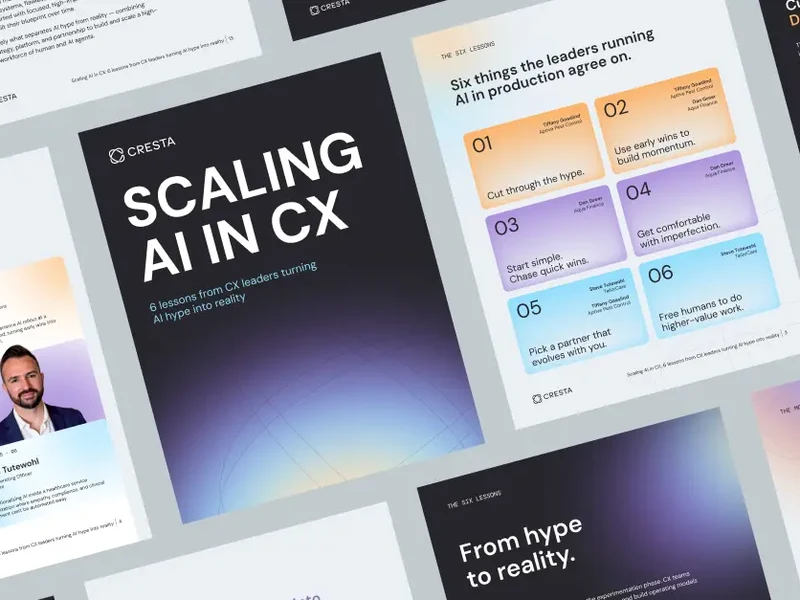
See how CX leaders have approached it
Step 1: Baseline your current cost to serve
Finance checks the cost-to-serve baseline behind a savings claim before it even opens the vendor proposal. You cannot claim savings against a number you never measured. Any ROI model that rests on an industry benchmark instead of your real cost to serve is easy for finance to challenge.
Calculate your fully loaded cost per contact
Your fully loaded cost per contact includes agent salary, benefits, overhead, telephony, software licenses, and the supervisory ratio behind each conversation. Wages alone understate it. Channel and complexity also move it, so a chat contact and a complex voice call do not cost the same. Calculate your own figure per channel, because a benchmark cost per contact is the first assumption finance will question.
Segment volume by intent, complexity, and channel
Sort your contact volume into two buckets that drive every lever that follows. Low-complexity, high-volume intents like order status and password resets are automatable, and appointment rescheduling often fits when the resolution logic is clear. Higher-complexity intents that a human handles are augmentable with real-time support.
Cresta is an enterprise AI platform for customer experience. Its Automation Discovery capability, part of Conversation Intelligence, scores which conversation topics are strong automation candidates based on complexity, deviation patterns, and tool dependencies. That scoring turns a guess about automatable volume into a defensible number.
Count the hidden costs behind the standard figure
Several costs sit outside the standard cost-per-contact figure, and they define your investment headroom. Attrition, ramp time, after-call work, and quality management (QM) sampling all shape the economics. Cresta's 2024 CCW Digital Market Study, Future of Contact Center Employees, found that 71% of contact center leaders say agents spend too much time on non-interaction work.
Quality management hides another cost. When a QM program reviews only a 1 to 2% sample, the rest of the interaction base goes unreviewed. For a 1,000-agent operation with roughly 5.3 million annual conversations, a 2% sample leaves more than 5.1 million conversations unseen, and your business case draws headroom from those blind spots.
Step 2: Model the main sources of value for conversational AI
A pilot dashboard that reports only deflection makes the investment look smaller and riskier than it is. It also leans the whole case on the one assumption most likely to wobble after launch. Model automation, productivity, revenue, and quality so the conversational AI case does not ride on containment rate alone.
Contact deflection and automation savings
Automation savings come from resolving low-to-medium complexity contacts at a fraction of the human cost. For the high-volume, predictable intents an AI agent can fully resolve, cost per resolution drops well below a human-handled contact, and the savings scale with contained volume.
Put a resolution check in the model before you multiply anything, because a program can post high deflection while some of those customers call back unresolved. Cresta AI Agent handles conversations end-to-end across voice and chat with no human agent present. It covers complex, multi-intent work like billing disputes and troubleshooting, so containment assumptions should reflect genuine resolution rather than avoided contacts.
Agent productivity, handle time, after-call work, and faster ramp
Agent-facing AI raises productivity for the human agents who handle the augmentable volume. Cresta Agentic Assist gives those agents real-time guidance and knowledge during live conversations, and its AI Summaries feature writes the call wrap-ups that used to eat after-call time. Both lift issue resolution per hour and cut the minutes agents spend on notes.
Ramp time is a second productivity lever with real dollars behind it. Faster proficiency means less drag during the window when new hires still lean on experienced agents to carry the load.
Revenue lift, conversion, upsell, and retention
Revenue can rival cost savings in size, because real-time hints that prompt human agents to upsell change conversion in measurable ways. Cresta customer data in the 2024 CCW Digital Market Study shows average accessory revenue per chat of $9.77 when agents follow upsell prompts, compared with $3.69 without. That is roughly 2.6x the revenue per chat.
Behavioral Guidance under Agentic Assist surfaces those prompts during the live conversation. Treat this lever as customer data from live deployments rather than an independent benchmark, and model it conservatively against your own conversion rates.
Quality and risk, 100% quality management coverage and compliance exposure
Quality management coverage can move from a small manual sample to 100% of conversations, which builds both an efficiency case and a compliance case. Cresta Conversation Intelligence auto-scores 100% of conversations with AI-driven behavior detection. That replaces the industry standard of 1 to 2% manual sampling and cuts QM costs by roughly half in deployments like Brinks Home.
For regulated industries, frame the compliance exposure as avoided penalties. Label customer satisfaction (CSAT) and coaching gains from this lever as soft savings, unless your company has documented compliance-cost history to attach real numbers to.
Step 3: Calculate ROI with numbers finance will accept
The inputs feeding the formula decide whether finance accepts the model. Use one formula built on your own baseline instead of a headline multiplier. ROI as a percentage equals net benefit divided by total cost, times 100, and payback period equals initial investment divided by annual savings.
The ROI formula and the inputs that matter
Each value area from Step 2 feeds a specific input. Automation savings equal AI-resolved conversations multiplied by the gap between your human cost per contact and the AI cost per resolution. Productivity savings come from reduced handle time and after-call work, and revenue lift and QM cost reduction round out the annual value figure.
A worked example at modest scale keeps the model honest. Take a contact center that automates 30% of a high-volume intent at a $9 loaded cost per contact and resolves those at about $1 each. That is $8 in net savings per automated contact before productivity and revenue levers. Multiply by annual volume in that intent, subtract total cost of ownership, and you have a defensible first-year number.
Model total cost of ownership beyond the license fee
Total cost of ownership (TCO) can stretch payback timelines, because the license fee captures only part of the spend. For most operational AI, the software license is a fraction of first-year cost once you add setup, integration, data preparation, model retraining, program management, and training time. Those costs recur every year.
Retraining is the cost most models leave out. Plan for periodic model retraining rather than a one-time build, because compliance reviews, model updates, and internal overhead keep TCO above the license line. Teams that skip the full cost are the ones that report first-year budget overruns.
Set conservative ramp and payback expectations
Treat payback within a year as the exception. Deloitte's 2025 study of senior executives found only 6% of companies achieve payback within one year, with 40% landing in the 1-to-3-year range and 35% in the 3-to-5-year range. Model a phase-in curve where containment reaches only 40 to 50% of target in the first month and builds over roughly six months, instead of assuming full value on day one.
A few choices shorten the timeline. A narrow, high-volume first use case reaches stable performance fastest. Clean data cuts integration and retraining drag. And running the deployment as an operational redesign, owned by the business, prevents the stall the same payback data documents.
Step 4: Package the case for CFO approval
Show which headcount plans, overtime lines, quality management labor, and revenue coverage will change. A business case gets approved when it translates operational metrics into finance language. Without that translation, even a sound model reads as an operations wish list instead of a financial decision.
Translate savings into capacity decisions
Unit-level wins do not become enterprise earnings before interest and taxes unless you reallocate the capacity. Freed agent capacity has to go somewhere specific to count. Say whether it absorbs volume growth without hiring, whether attrition goes unbackfilled, or whether human agents move to revenue work.
Present automation as a capacity investment. "This lets us handle 50% more volume with current headcount" lands better than "this eliminates 15 positions." It also matches how these initiatives actually get funded, through natural attrition rather than layoffs.
Separate hard savings from soft savings
Hard savings are avoided hires, reduced overtime, and quality management labor you consolidate, and they show up directly in the P&L. Soft savings are CSAT lift, better agent experience, and risk avoidance with no documented penalty history. Mixing the two is the third credibility killer.
Split the case into three tiers so finance can approve the first without betting on the rest:
- Guaranteed savings: These are the numbers you will hit, like avoided hires and consolidated QM labor.
- Probable benefits: You can defend these with data, though you cannot promise them to the dollar.
- Long-term value: This upside is real but hard to quantify today.
That structure gives finance a cleaner way to fund the first phase without treating every benefit as equally certain.
Pre-empt the risk questions
Name model maintenance and integration complexity before finance raises them, then bring mitigations for data readiness and adoption risk. A team that accounts for retraining cycles and a phased rollout shows finance it has planned for operating risk. Silence on risk reads as inexperience.
Step 5: Phase deployment to prove the case
Build the pilot dashboard around next quarter's finance question, which is whether the approved model turned into measured results. Phasing heads off the post-launch "did it work?" stalemate when each phase has a defined use case, a measurement gate, and a baseline comparison:
- Start with the fastest-payback use case: Pick a narrow, high-volume, low-complexity intent at 10 to 20% of volume with clear resolution logic. Use its measured results to fund phase two instead of deploying broadly at once.
- Define measurement gates before scaling: Lock pre-registered metrics per phase, including containment, CSAT on automated contacts, transfer rate, and cost per resolution, with go/no-go thresholds set in advance. After 30 days, if deflection holds above 30% and CSAT holds or improves, you have your business case.
- Report actuals against the Step 1 baseline quarterly: Pair containment with first call resolution and repeat contact rate, because high containment can hide poor resolution and a customer who calls back more frustrated.
Expand to a second use case only after the first holds performance for 30 days. Teams that keep this discipline often reach five to seven production use cases within a year, each funded by the last.
How Cresta maps to the ROI model
Cresta AI Agent, Agentic Assist, and Conversation Intelligence map to the automation, productivity, revenue, and quality tabs in the ROI tracker. AI Agent handles deflection end-to-end, Agentic Assist supports productivity and revenue for human agents, and Conversation Intelligence ties QM coverage to coaching.
On the automation tab, AI Agent gives operators containment and resolution data by use case. On the productivity and revenue tabs, Agentic Assist connects guidance, AI Summaries, and upsell prompts to handle time, after-call work, and accessory revenue per chat. On the quality tab, Conversation Intelligence auto-scores conversations and ties behaviors to outcomes, so operators can compare every lever against the baseline they used to win approval.
Cresta was named a Leader in the Forrester Wave for conversation intelligence solutions for contact centers, Q2 2025.
Turn the business case into a measurable operating loop
An approved AI budget goes unrealized when the number that won funding never gets tracked against actuals. The business case only pays off when the modeled levers become measured ones, quarter after quarter, against the same baseline finance approved.
Cresta Conversation Intelligence measures containment, cost per resolution, and revenue lift against the workflows and agent behaviors that produced them, so projected ROI turns into finance-ready actuals rather than a claim. Browse the Cresta resource library for guides on building the case and measuring results, or request a demo to compare your modeled levers with observed behavior.


.avif)
